

Voltura
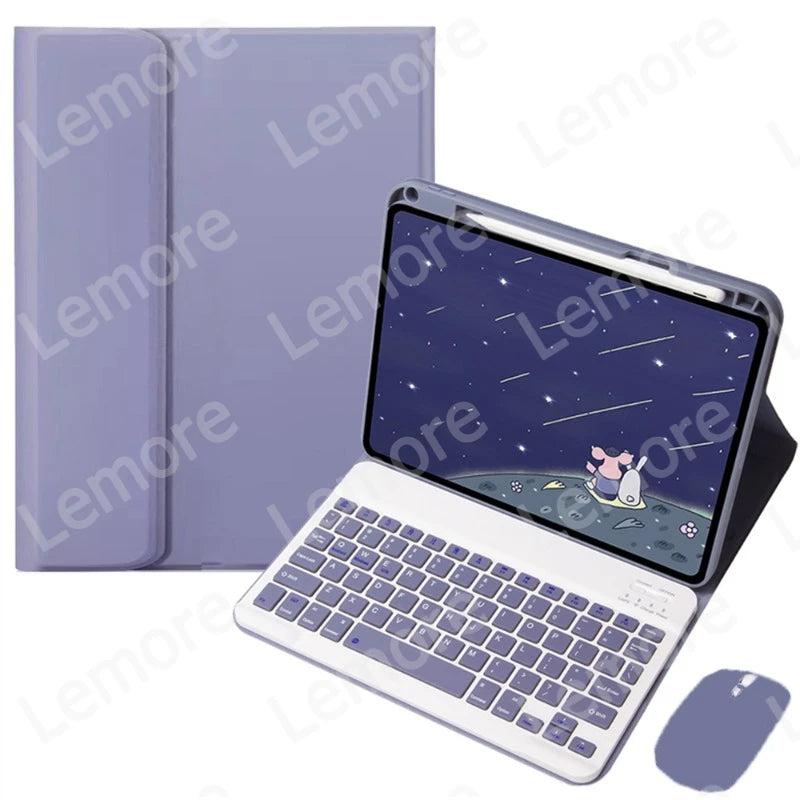
Case with Keyboard for Xiaomi Redmi Pad 2 2025 11 inch Stand Cover with Pencil Slot Spanish Portuguese Russian English Keyboard
€31,66
In stock
— Ready to ship
🚚
Free shipping over $75
↩️
30-day returns
🛡️
2-year warranty
SPECIFICATIONS
Application Laptop Size: 11"
Battery Included: Yes
Brand Name: NONE
Choice: yes
Compatible Brand: Xiaomi
Feature: Shockproof,Drop resistance,Soft
Feature 1: Bluetooth-compatible Keyboard
Feature 2: Keyboard Case with Pencil Holder
High-concerned chemical: None
Language: US English
Material: Leather
Method of Sales: Retail / Wholesales / Drop shipping
Model Number: For Xiaomi Redmi Pad 2 2025 11 inch
Origin: Mainland China
Package: No
Pattern Type: Solid
Place of Origin: China
Rechargeablebatteryincluded: Yes
Style: Casual
Type: With Keyboard
Tablet and stylus pen in pictures are not included!!!
Features:
1.Standard 3.0 Bluetooth-compatible Solution
2.Detachable keyboard
3.Built-in Pencil holder, cap & adapter slots, grab your Pencil, easily to carry and use.
Specification:
Connection mode: 3.0 Bluetooth-compatible
Battery : Rechargeable lithium battery
Keyboard Standard:Bluetooth-compatible Keyboard
After connecting the keyboard, you need to open the tablet's "Settings" and then search for the "Physical Keyboard" in the language layout settings for the desired language
For Xiaomi Redmi Pad 2 2025 11 inch
1.Standard 3.0 Bluetooth-compatible Solution
2.Detachable keyboard
3.Built-in Pencil holder, cap & adapter slots, grab your Pencil, easily to carry and use.
Specification:
Connection mode: 3.0 Bluetooth-compatible
Battery : Rechargeable lithium battery
Keyboard Standard:Bluetooth-compatible Keyboard
After connecting the keyboard, you need to open the tablet's "Settings" and then search for the "Physical Keyboard" in the language layout settings for the desired language
For Xiaomi Redmi Pad 2 2025 11 inch
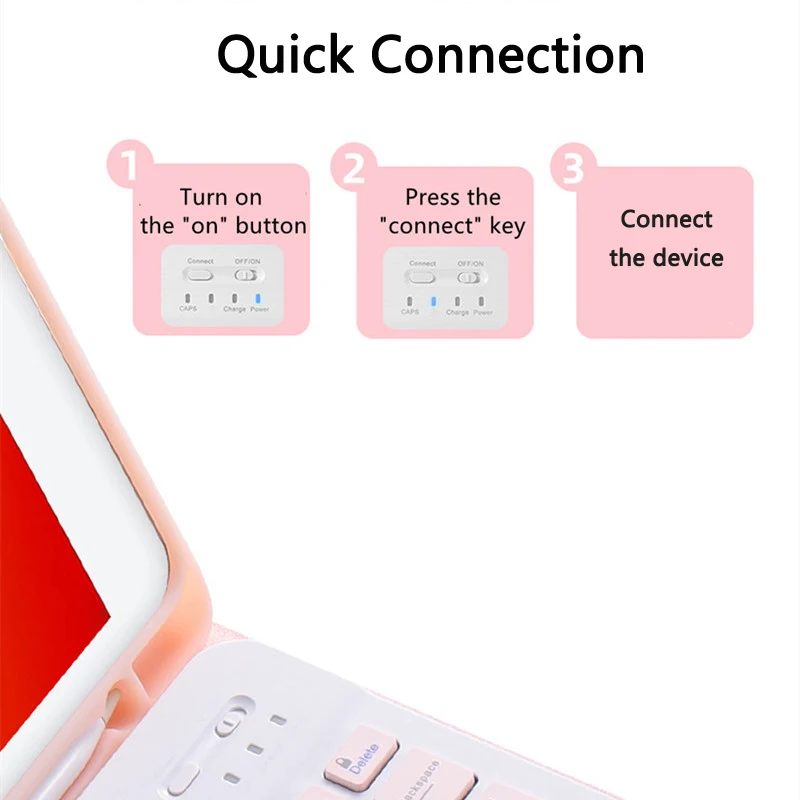
-keyboard connection method
1: Turn on the "on" button in the keyboard
2: Press the "connect" key on the keyboard
3: Turn on the Bluetooth-compatible device on tablet you need to connect to
4: Find it in "my device" and click "connected"
1: Turn on the "on" button in the keyboard
2: Press the "connect" key on the keyboard
3: Turn on the Bluetooth-compatible device on tablet you need to connect to
4: Find it in "my device" and click "connected"